
Cybercriminals are no longer simply targeting business giants; they are now wanting your digital life. Your whole online presence is under attack, and if you don’t defend it, you’re effectively handing away the keys to your virtual kingdom.
Smartphones, social media accounts, online banking, and smart home gadgets are all conveniences that help to map our lives digitally. And fraudsters use this map to steal money, hijack identities, and follow our every digital move. Cybercrime isn’t just increasing; it’s booming. According to AAG’s cybersecurity specialists, 53 million Americans were victims of cybercrime in just the first half of 2022.
That figure is only increasing, with “losses exceeding $16 billion—a 33% increase in losses from 2023,” according to the FBI.
According to the bureau’s Internet Crime Report, the top three cybercrimes recorded by victims in 2024 were “phishing/spoofing,” extortion, and personal data breaches. Victims of investment fraud, particularly those involving bitcoin, reported the largest losses, totaling more than $6.5 billion. It’s no longer only about avoiding cybercrime. It is about survival. But how can you determine if someone has already compromised your phone?
Battery Drain
This is more than simply an indicator of aged technology; it might indicate that there is a quiet threat operating in the background. If your fully charged phone dips to 60% while you sleep or dies within hours even in airplane mode, you may be a victim of spyware. These apps operate quietly, tracking your behavior, logging keystrokes, and even capturing your voice and camera—all while depleting your power and internet.
These harmful programs do not appear in your list of applications. They are skillfully hidden, frequently camouflaged as system operations. What you should do: Turn off your phone, disconnect from Wi-Fi and data, and have it verified by a cybersecurity specialist. A full factory reset may be your only option.
The phone gets heated.
If your phone suddenly grows hot while idle, or if your data consumption jumps for no apparent reason, someone else may be using it—without physically touching it.
Remote access virus grants hackers control over your device. They can do:
Spy through your camera and microphone.
Track your GPS.
Send fraudulent text messages to your contacts to spread the illness. The worst thing is that you won’t know unless someone tells you.
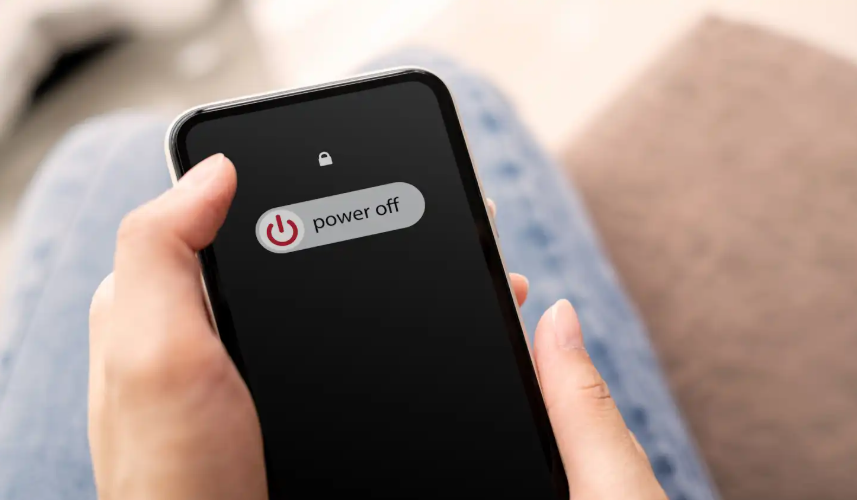
Step 1: Turn off all power. Turning off your phone disables the live connections that hackers rely on. Then, take it to a specialist who will clean it and reinstall safe software.
Strange pop-ups or redirections
McAfee, a cybersecurity company, says that if you’re seeing “an influx of spammy ads or your app organization is suddenly out of order, there is a big possibility that your phone has been hacked” with harmful software, often known as malware.
Someone may have secretly installed malware extensions or app-level hijackers, which redirect your searches and data to phishing websites. These bogus sites are designed to seem legitimate, so when you input your login or financial information, you are passing it over to a fraudster.
These attacks often represent the initial phase. The second step occurs when your accounts start to deplete.
What to do: If any site appears suspicious or generates security alerts, close everything. Turn off your phone, do not interact with any pop-ups, and avoid signing in from that device until it has been cleared. Hackers today are less concerned with an individual’s wealth or fame; their primary interest lies in the connections one possesses. Furthermore, if one is not vigilant, their phone could potentially contain a significant amount of compromised personal information. If you’re not careful, thieves may steal a wealth of personal information from your phone.
So, the next time your gadget begins acting strangely, don’t wait. Turn it off immediately. That one second might save you months or years of harm, expense, and digital turmoil.